On most platforms and browsers, `sans-serif` is equivalent to Arial.
However, on Firefox on Ubuntu (and possibly other Linuxes), `sans-serif`
is DejaVu Sans, a much wider font. This creates a larger shift in text
when the custom fonts finally load. Arial is a web-safe font, and
specifying it explicitly gives us more cross-platform consistency, as
well as reducing the layout shift that happens when fonts load.
Add font-display: swap. Per https://web.dev/font-display/, this prevents
"flash of invisible text" during load by using a system font until the
custom font is available. I've noticed this flash of invisible text
occasionally when reading Rust docs.

Add an explicit height to icons (which already had an explicit width)
to allow browsers to lay out the page more accurately before the icons
have been loaded. https://web.dev/optimize-cls/.

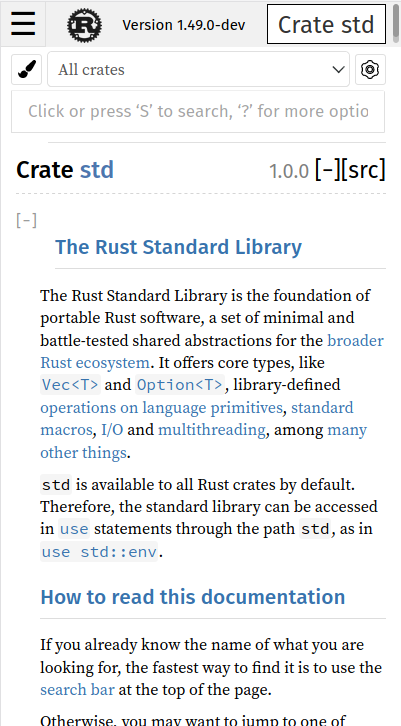
Add min-width: 115px to the crate search dropdown. When the HTML first
loads, this dropdown includes only the text "All crates." Later, JS
loads the items underneath it, some of which are wider. That causes
the dropdown to get wider, causing a distracting reflow. This sets a
min-width based on the size that the dropdown eventually becomes based
on the crates on doc.rust-lang.org, reducing page movement during load.
For browsers that support woff2 (most modern ones:
https://caniuse.com/woff2), this offers a reduction in download size
for these two fonts from 362k to 257k (32% reduction). It decreases the
total page size for `struct.String.html` (counting all subresources) by
about 2.5%.

If this is interesting, I'm happy to apply the same treatment to the
other fonts, but these two are the biggest.
Fix search section position on small devices
Fixes#79526.
This is exactly the same issue fixed in 9c36491538 (in https://github.com/rust-lang/rust/pull/79936) but applied to the search section. When the width becomes too small, the search input goes on its own line to get more space, making it go "under" the section following (so either "main" or "search"). The fix is to simply make the section go more under so that it doesn't go over the search input.
r? `@jyn514`
Use sans-serif font for the "all items" page links

The "all items" pages' links aren't using a sans-serif font unlike the rest of equivalent items in the other module pages. ``@Nemo157`` reported me this issue so here is the fix!

r? ``@Nemo157``
Move tooltips messages out of html

First thing first: nothing in the output has changed. You still have the "i" on the left of code blocks examples when they have `ignore`, `compile_fail`, `should_panic` and `edition`. The behavior also remains the same: when you hover the "i", you have the corresponding message showing up.

So now, why this PR then? I realized recently that we were actually generating those messages into the HTML every time whereas all messages are the same (except for the edition ones, I'll come back to it later). So instead of generating more content, I simply moved it inside the CSS thanks to pseudo elements (`::before` and `::after`). The message is now inside `::after` and we use the `::before` to have the small triangle on the left of the message. So now, we have less HTML generated which is seems pretty nice.

So now, back to the `edition` change: the message is globally the same, but the "edition" itself can be different (2015 or 2018 currently, I expect 2021 to arrive not too far in the future). So the only difference for it is that I added a new attribute on the tooltip called `edition` which contains this information. Then, the `::after` uses it inside its `content` (you can get the content of an element's attribute by using `attr` and concat different strings by simply having them after the other).

Don't hesitate if a part of my explanations isn't clear.

r? `@jyn514`
 Guillaume Gomez